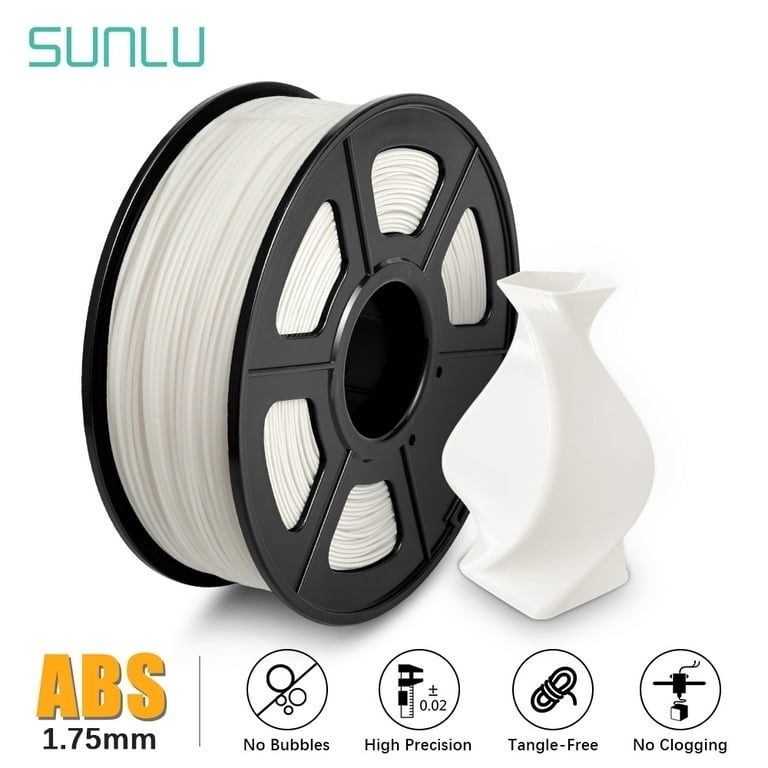
Warped corners, lifted edges, and distorted bases can ruin an otherwise successful print. ABS and nylon are especially prone to these issues due to sensitivity to cooling, shrinkage, and first-layer adhesion—so environment control, proper filament handling, and material-specific settings are essential.
Why Do ABS and Nylon Prints Warp?
Warping arises from uneven cooling and contraction. As upper layers cool, thermal stress builds between the part and build plate—especially at corners and large flat areas, which resist shrinkage less effectively.
ABS is highly sensitive to ambient temperature shifts; drafts or uneven cooling promote lifting. Nylon adds complexity: it absorbs moisture, causing bubbling, inconsistent extrusion, or rough surfaces—distinct from thermal warping but equally damaging to quality
How to Stabilize the Printing Environment?
For ABS, an enclosed printer can reduce exposure to drafts and help maintain a more consistent temperature around the part. SUNLU’s standard ABS product page lists a nozzle temperature of 250–260°C and a bed temperature of 80–100°C for standard ABS. Because ABS variants use different settings, check the specification for the filament you have. These ranges provide a starting point, but the suitable settings depend on the filament and printer
Keep the printer away from direct airflow from open windows, fans, or air-conditioning vents. ABS printing also requires suitable ventilation because the process can release fumes. Follow the printer and filament manufacturers’ safety instructions when setting up the workspace.
Nylon can also benefit from a stable printing environment, particularly when producing larger functional components. However, enclosure needs and temperature settings differ by formulation. Follow the recommendations for the specific nylon rather than automatically copying ABS settings.
Which Bed and First-Layer Settings Help?
Strong first-layer adhesion is critical for maintaining part attachment during cooling. Clean the build surface per manufacturer guidelines, level the bed, and verify uniform first-layer coverage. Too much nozzle-to-bed distance causes gaps; too little causes squashing and poor flow.
A brim improves edge adhesion—especially at corners. For large parts, optimize the model’s footprint and minimize broad, thin sections. Use a recommended adhesive when specified for your filament or build surface.
Change one setting at a time during troubleshooting. If the first layer looks sound but corners lift later, investigate drafts, bed temperature, and cooling behavior before repeatedly adjusting the nozzle height.
Why Does Nylon Need Extra Moisture Control?
Nylon’s moisture sensitivity makes filament preparation an important part of printing. A nylon pa filament exposed to humid air can absorb water before it reaches the extruder. Drying it according to the product instructions helps establish more consistent extrusion and surface quality.
Store opened filament in a sealed container with desiccant. For longer prints, a suitable dry box can help limit moisture exposure while the spool feeds into the printer. If you see popping sounds, bubbles, or an unusually rough surface, check filament dryness as well as nozzle condition and temperature.
Drying does not replace good thermal settings. A properly dried spool can still warp if the part cools unevenly or the first layer has poor adhesion. Treat moisture control and temperature management as separate parts of the troubleshooting process.
What Should You Know About PA6-CF?
Carbon-fiber-reinforced nylon combines a nylon base with short carbon fibers. SUNLU PA6-CF contains 20% carbon fiber and is intended for functional components that benefit from strength and stiffness. Its reinforcement does not remove nylon’s moisture sensitivity, so preparation and storage remain important.
The product listing gives the following starting settings:
| Setting | PA6-CF recommendation |
| Nozzle temperature | 270–290°C |
| Bed temperature | 50–70°C |
| Printing speed | 50–100 mm/s |
| Drying temperature | 80–110°C |
The listed guidance also recommends storing the filament sealed with desiccant at less than 20% relative humidity. Confirm the instructions supplied with your spool before drying, since drying equipment and filament specifications can differ. A wear-resistant nozzle is worth considering because carbon fiber can abrade standard nozzle materials.
When using carbon fiber 3d printer filament, do not assume that every setting for unfilled nylon or ABS will transfer directly. Test a small part first, confirm bed adhesion, and inspect dimensions before printing a larger component.
How to Troubleshoot Persistent Warping?
Start by identifying when the problem appears. If a corner lifts during the first few layers, inspect build-surface cleanliness, bed leveling, first-layer contact, and the use of a brim. If the print begins well but lifts as its height increases, drafts and uneven cooling may be contributing factors.
For nylon, verify that the spool has been dried and stored correctly. Confirm the nozzle and bed temperatures against the material’s instructions, then adjust one variable at a time. If warping persists, consider changing the model orientation or redesigning broad, thin sections to reduce stress concentration.
How to Build a More Repeatable Printing Routine?
Record the filament type, drying conditions, nozzle and bed temperatures, enclosure setup, and first-layer observations for each successful print. Reusing a documented setup makes it easier to identify which variable changed when a later job develops defects.
For ABS and nylon, consistent environmental conditions and a stable first layer are central to reducing warping. For PA6-CF, combining these practices with proper drying and material-specific settings gives you a more dependable starting point. A small test print can then confirm that the setup suits the geometry and demands of the final part.